

The lack of consistent and simple instruments that would help to actually start speaking is frustrating and keeps setting language learners down.

Most of them are based on video communication and are limited to just a couple of languages (or just one). Some of them don't allow to choose a favorite topic to enjoy the conversation.
People who need to improve their speaking skills fast, need a chat to be moderated by a professional tutor or native speaker. But as I find out, the tutoring lessons are way too expensive.
Not all platforms can guarantee personal data protection. Plenty of them ask to upload a user's picture which is not comfortable for everyone.
The main problem I found on the competitors' platforms is the lack of tracking user's progress.
In terms of design, some platforms do not impress at all with their appearance, moreover, they have a complicated UX.
By the way, none of them have solutions for b2b.
As a result, I had an idea to create the service with audio chats moderated by a tutor or native speaker. Users will have filters to choose a chat by their interests and speaking skill level to feel as comfortable as possible. There will be no need to indicate a real name, gender, or a real photo. For the learners to be able to practice regularly, the subscription cost will be lower than on the other platforms.

People with a Beginner speaking skill level are afraid of making a mistake when they start talking. Some of them told they want to practice with native speakers so they could better understand how this or that word is pronounced.
People with an Intermediate speaking skill level find it difficult to compose complex sentences so they need to be in an environment with similar learners for more practicing, especially on a favorite topic.
Advanced speaking skill level owners want to master more professional vocabulary in order to be confident when it comes to work & business topics. But they can't practice regularly because of a lack of services that will help them learn new words quickly and efficiently.
Also, I talked with a few hiring managers that work with remote or relocated employees and figured out the following:
- companies spend 2-6 months on the onboarding of new employees, missing an opportunity to get the highest revenue per employee faster;
- the market for employee benefits is growing very fast;
- employee retention is getting very shuttered and employers need more to keep the best talents;
- companies already hire tutors to work with their teams, though it's not structured well.
The best decision, in this case, is to hire professional tutors and native speakers to help people improve their speaking skills professionally. They could sign up the contracts with companies as well to teach employees for faster onboarding.
Based on the surveys and interviews I did, I identified 2 user personas.


After defining our user personas, I can clearly understand who will use our service. Relying on each persona's needs, I built two different user flows to help the particular type of user achieve their goal in the most efficient manner possible.

Since I had a user flow and user story for the Learner, I identified three core features to contribute to the best experience of using the application.


Professional tutors will moderate the chats to help learners improve their speaking skills


I found out what features the Moderator should have for the best experience of using the app.


According to these user flows and core features, I created a detailed site map to understand how the content should be organised.

Due to my research conclusions, mobile-first and easy to use are the main requirements for future web app design, so I created wireframes that will include all the core features and work as well as possible. I used Miro for this task.

To be able to create a high-fidelity prototype and test it out, I needed to develop the brand concept from scratch. It was supposed to be unique and attractive, to serve a long-lasting and fast-growing ecosystem for language learners.
I researched competitors' website designs and concluded to make a simple yet cute, playful logo design that will meet the company's values.


The client wanted me to use dark violet color in the design. I thought it would be nice to combine it with bright yellow. As a result, they were the first colors in the palette.
Then I added basic colors and created a final version of the color palette.
What about typefaces, I was picking them carefully until I finally found the most attractive ones.
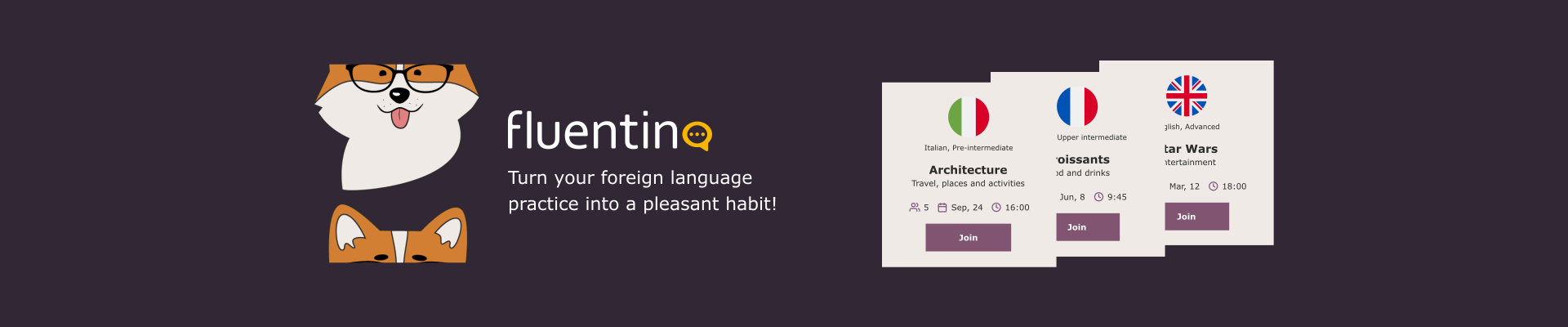
The company needed a talisman pet, preferably a dog. I tried a lot of variants and then I found a perfect one. It was corgi.
I illustrated him sitting in different poses and made some animations in Adobe After Effects.


Since the company needed a tone of voice and brand guidelines, I created the brand book. It helped me better understand how to design a web app.
Click here to take a look at the brand book.
I needed to create a landing page design and the logic and UI for two different subscription plans.

I found people to test out both Learner and Moderator roles.

Positive points:
- Clear and attractive UI;
- Simple sign-up and log-in stages;
- Intuitive navigation;
- The filters to quickly find a chat you need;
- The ability for a moderator to ban users for bad behavior;
- Any languages and topics are available.
Negative points:
- There is no quick access to the schedule;
- A little bit confusing chat creating process (for Learner).
I made changes based on this feedback. Then I sent it to my team for additional feedback.
After their approval, I created the Developers Handoff file with the UI kit, prototype, and logic explanation.
In addition to that, I created:
- responsive design (mobile and tablet);
- email templates;
- templates and color theme for the Instagram posts;
- favicon;
- the animated mascot for the landing page;
- visuals for social media.








Thanks to this project, I learned how to work with the auto layouts and components in Figma, create interactive prototypes.
As for the design, I mastered creating a brand book and brand guidelines from scratch, email templates design, and visuals for social media.
Also, I got to know how to work with developers and learned some basics of HTML and CSS.